DX Caliber brings together live radio activity, geographic visualization, and your operating history to help you recognize the contacts that matter.
OBSERVE / UNDERSTAND / OPERATE
01Interactive DX Map
See DX activity unfold.
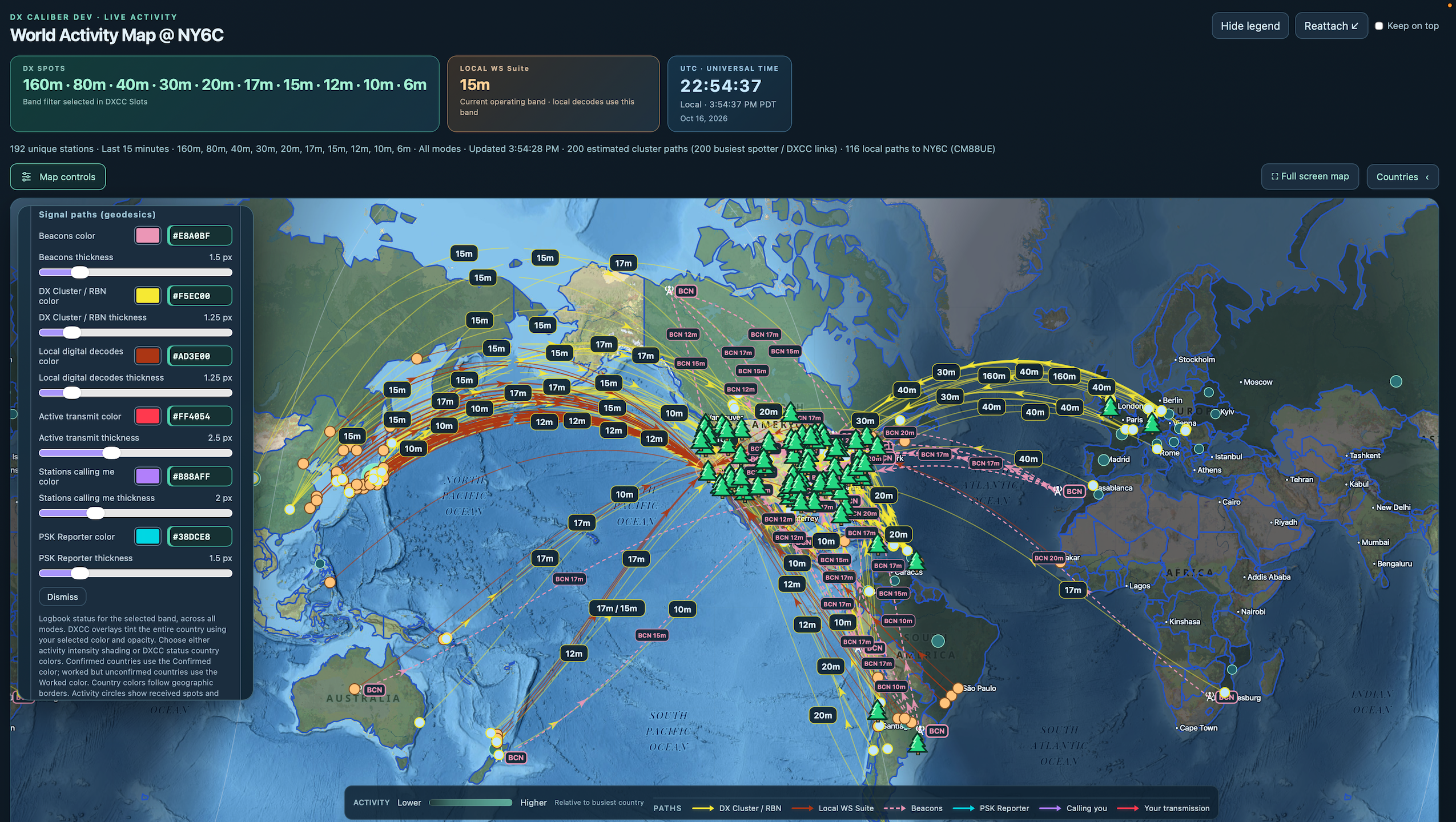
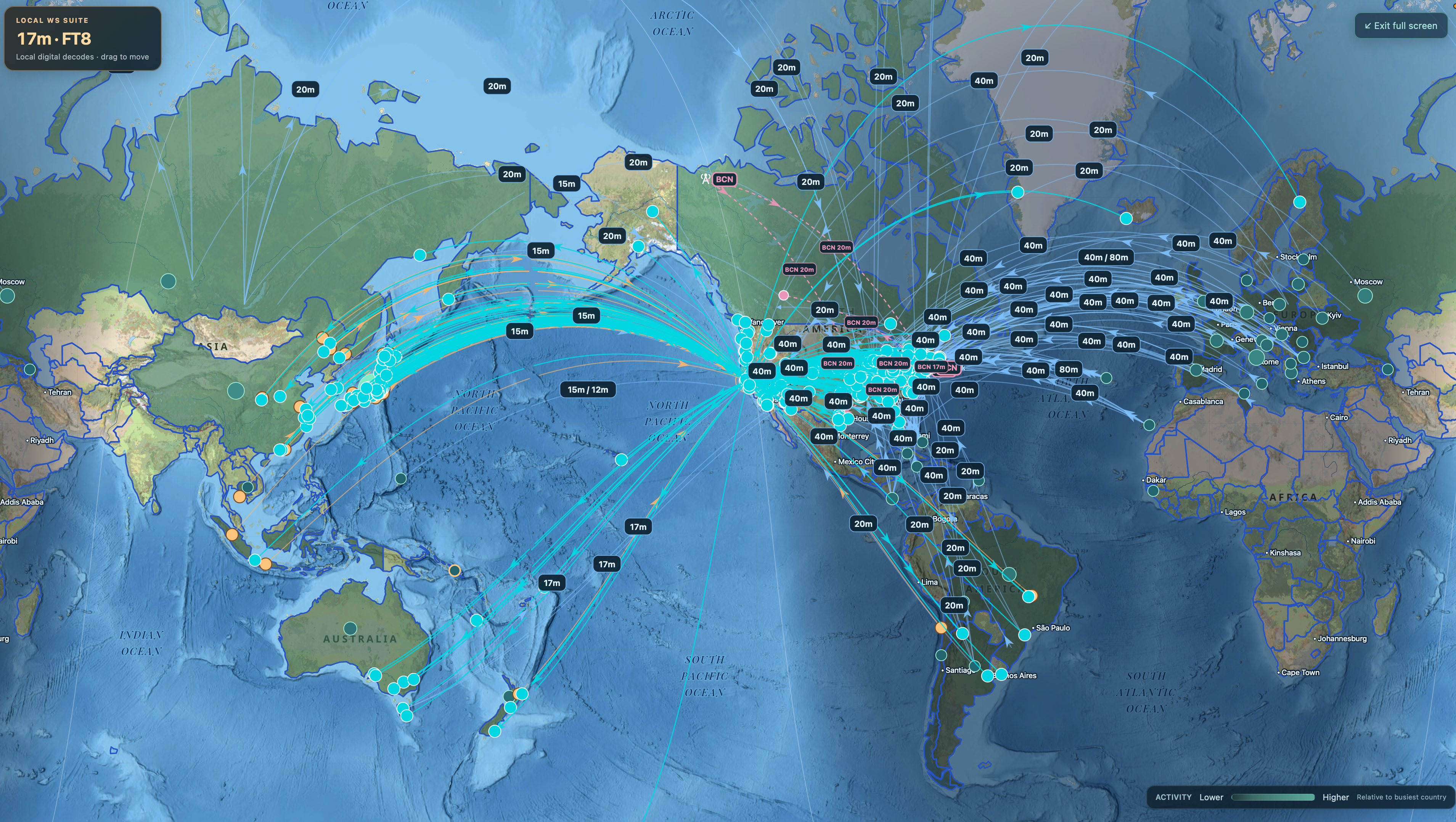
Explore worldwide amateur-radio activity on an interactive map. Visualize DX stations, geographic relationships, propagation paths, and the changing boundary between daylight and darkness.
Worldwide DX spot visualization
Great-circle paths and geodesic connections
Enable / Disable map geodesics, modify colors, change map layouts - make the maps yours
Day/night greyline visualization
Geographic DXCC identification
Station location information
DX Caliber / Interactive DX Map⌁
A geographic perspective on worldwide radio activity.
02DXCC Intelligence
Know what you need.
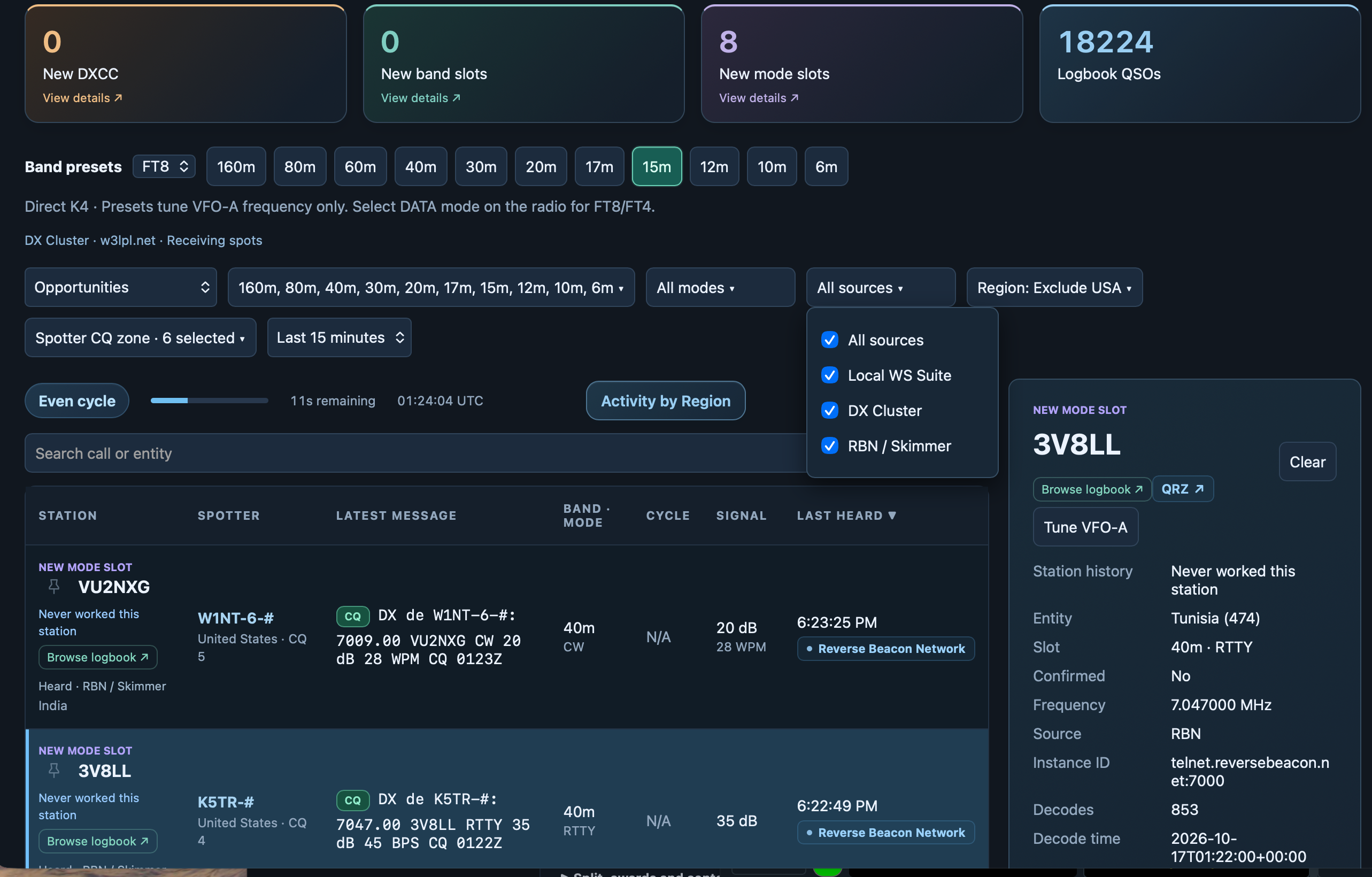
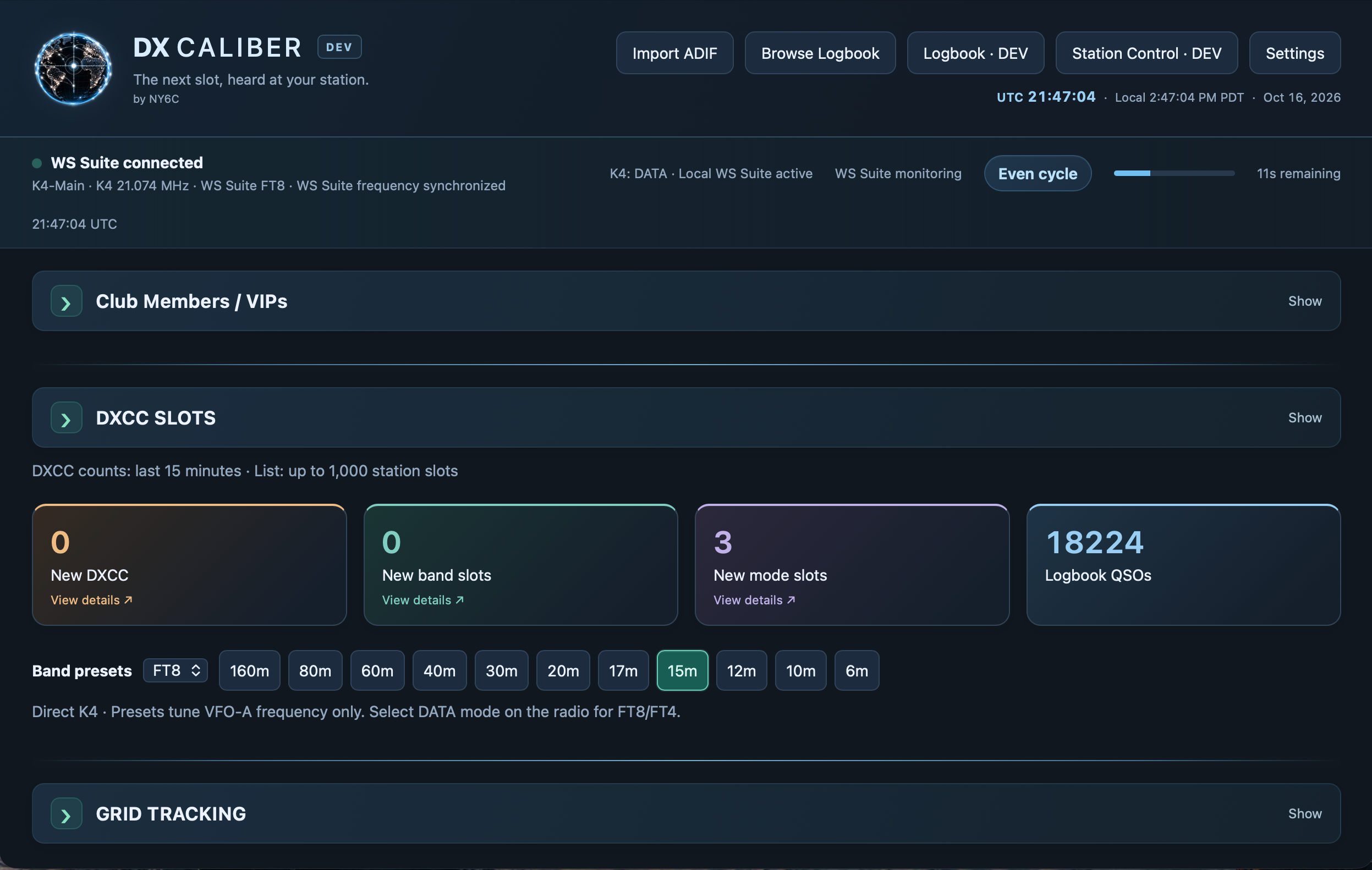
DX Caliber compares incoming activity with your imported ADIF logbook, turning a DX spot into your next opportunity. See the entities, bands, and modes you still need without losing sight of what you have already achieved.
NEW DXCC→NEW BAND SLOT→NEW MODE SLOT
New DXCC: an entity you have not worked yet.
New band slot: a familiar entity on a band you have not worked.
New mode slot: a chance to add a new award mode group.
ADIF logbook integration
Intelligent opportunity prioritization
Worked and confirmed status stay distinct. Exact operating modes remain visible alongside award mode groups.
DX Caliber / DXCC Intelligence⌁
Your next opportunity, informed by your operating history.
03Multiple DX Intelligence Sources
One picture. Multiple perspectives.
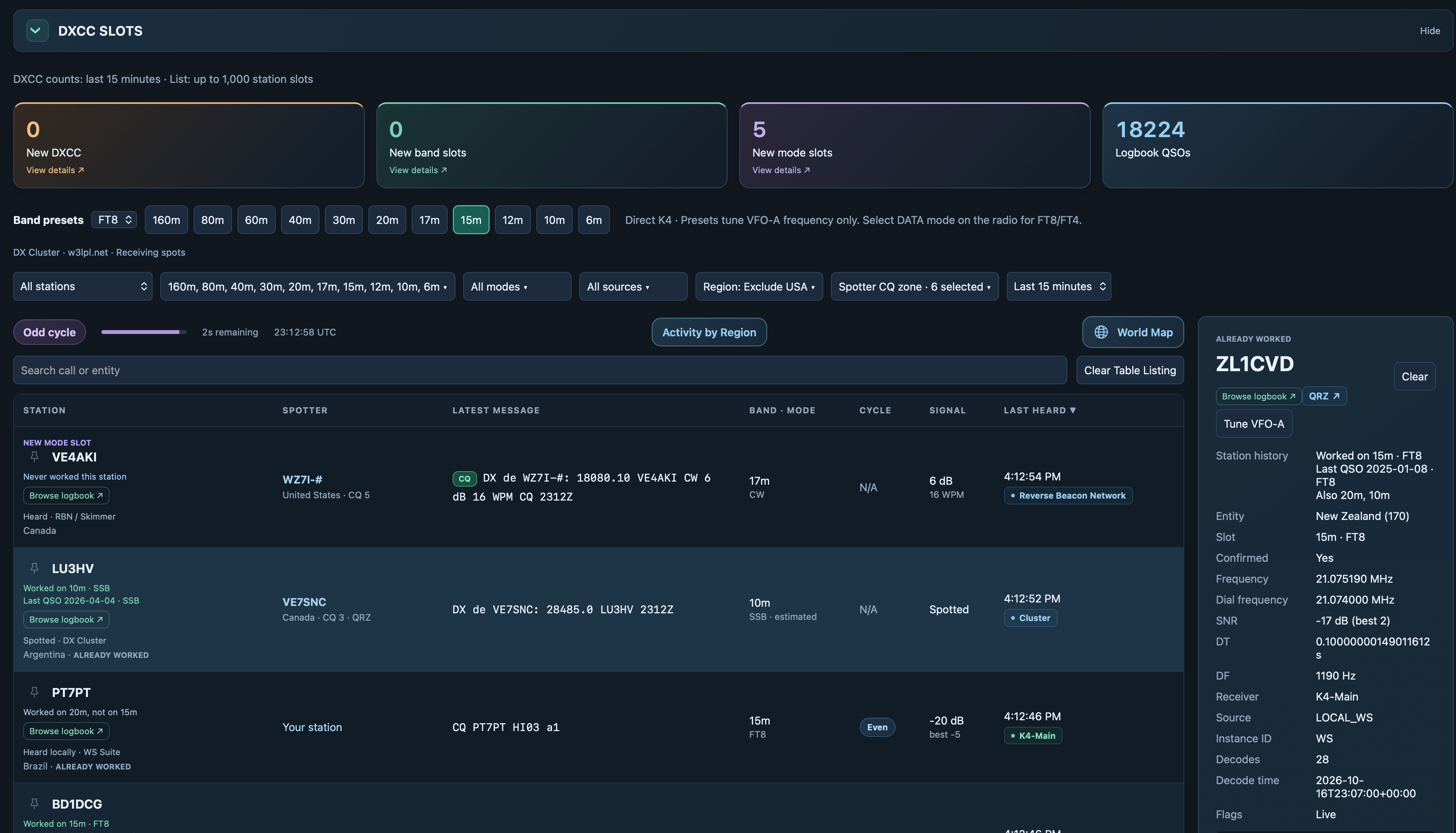
Combine information from DX Cluster networks, Reverse Beacon Network skimmers, digital-mode decodes, and reception reports into a unified view of amateur-radio activity.
DX Cluster spots
Reverse Beacon Network (RBN)
WS Suite / WSJT-X local decodes
PSKReporter reception information
Consolidated station activity
Each source contributes a different observation: cluster spots report activity, skimmers detect signals, local decodes show what your station hears, and PSKReporter reports reception. Available information depends on the sources you enable and connect; reception alone does not indicate QSO availability.
DX Caliber / Multiple DX Intelligence Sources⌁
Different observations. A more complete station picture.
04Your Logbook, Your Opportunities
Your operating history changes everything.
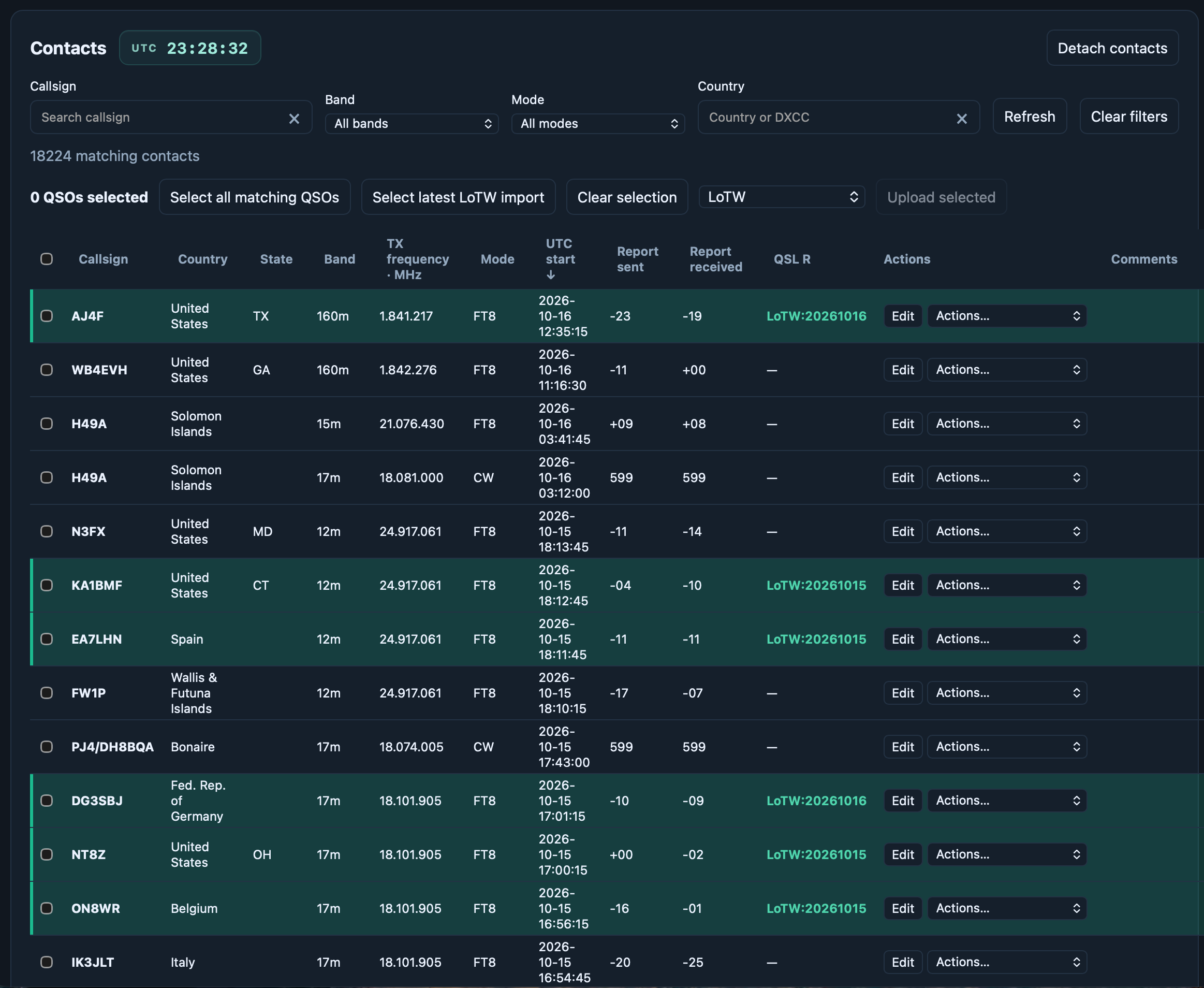
Your logbook provides the context that transforms an ordinary DX spot into a meaningful opportunity. DX Caliber uses your contact history to identify stations and entities worth your attention.
ADIF logbook import
Worked DXCC tracking
Band and mode history
Contact confirmation information
Opportunity classification
Worked and confirmed are distinct. Contact confirmation information remains separate from worked history.
DX Caliber / Your Logbook, Your Opportunities⌁
Every contact adds context to the next.
CLUBS / VIPs · THE PEOPLE YOU WANT TO HEAR
Keep your people in the picture.
A familiar callsign can be just as rewarding as a new entity. Bring your clubs and personal VIPs into your station view, and recognize the people you want to work.
01 / YOUR LISTS
Your clubs. Your VIPs.
Add club rosters to easily identify active club members. Add individual callsigns as personal VIPs, so you can follow the people who matter to you.
02 / SPOTTED ACTIVITY
Find them in the spots.
See club-member and VIP activity from DX Cluster and RBN spots, alongside the rest of your DX activity.
03 / LIVE DECODES
Know when you hear them.
Check live decodes from WSJT-X, WS Suite, and JTDX against your club and VIP lists to recognize matching callsigns as your station hears them.
04 / CLUB BADGES
Recognize the affiliation.
Club badges make membership easy to identify at a glance, connecting a callsign with its club without searching through your lists.
ANTENNA ROTATOR · YOUR NEXT DIRECTION
Point your antenna. Keep your bearing.
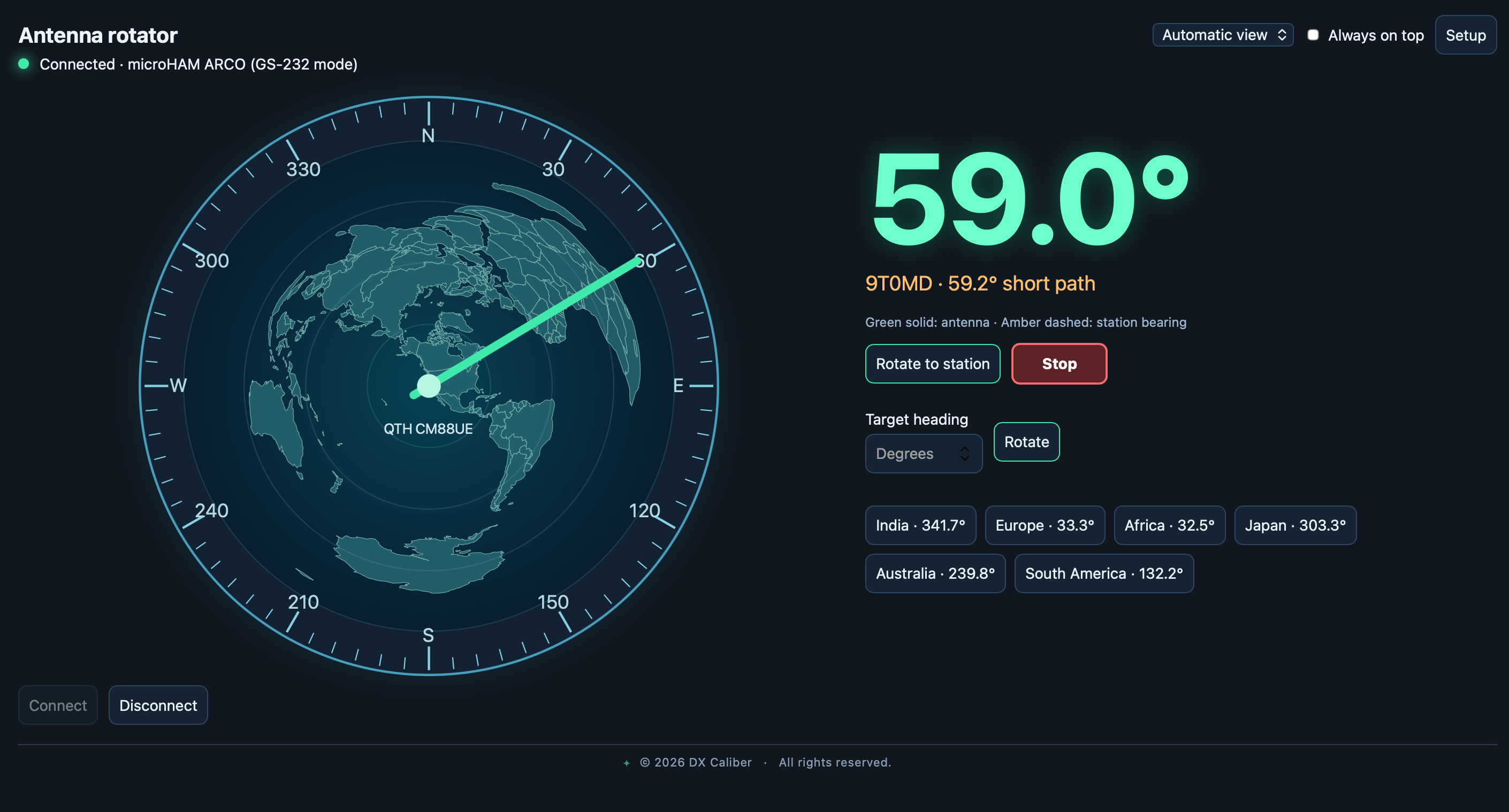
Bring antenna control into your station view. See your current bearing, rotate toward a selected station, or enter a target heading—all with a clear view of where your antenna is pointing.
Support for Yaesu, Hy-Gain, microHAM ARCO, Green Heron, and Hamlib NET rotctld.
Customize bearing headings with named presets for your favorite directions.
Keep the bearing indicator visible over other windows with the “Always on top” option.
DX Caliber / Antenna rotator⌁
Your antenna direction, right where you need it.
04 / AT THE CONSOLE
Purposeful, by design.
The station view, the world map, and your logbook—each with a clear role.
Station intelligence
Live activity meets worked history.
World activity map
A geographic view of the signals.
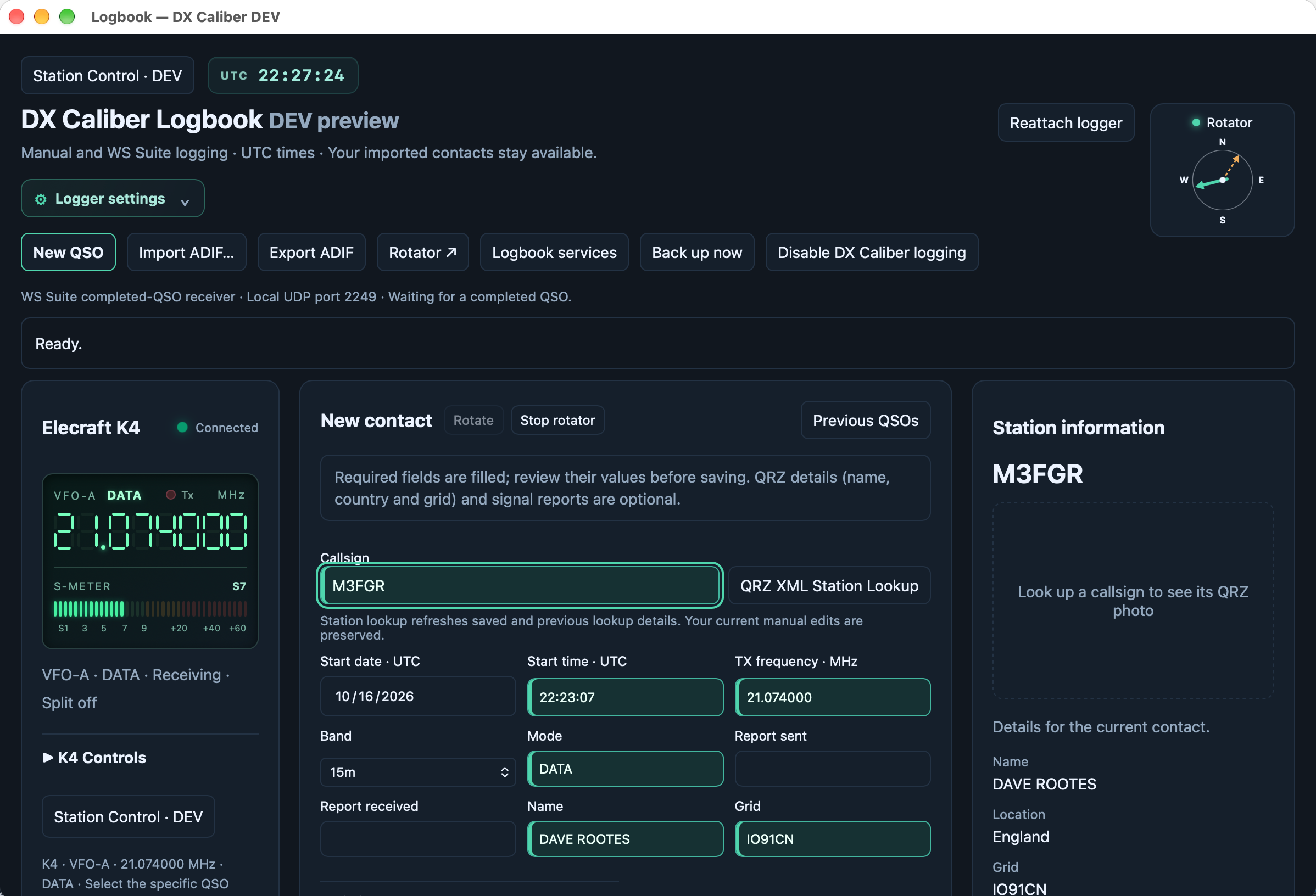
Logbook insights
Your contacts, with confirmation context.
05 / CONNECTED INTELLIGENCE
Your signals. One perspective.
WS Suite / WSJT-X
Local digital decodes, operating status, and transmit activity.
DX Cluster
Worldwide spots, connected to your own DX goals.
RBN / skimmers
CW and RTTY activity, with beacon awareness.
PSKReporter
A geographic view of who is hearing your signal.
ADIF logbooks
Worked and confirmed history from your existing logbook.
Connect compatible sources through configurable UDP and feed settings. QRZ grid lookups are optional and require QRZ XML access.
THE NEXT CHAPTER OF YOUR STATION
DX Caliber for macOS
Windows version coming soon
PRIVATE BETA AVAILABLE
The macOS beta is available to approved testers. Visit Downloads for build details and installation instructions.
Sign in with your approved email address and the verification code emailed to you.
Setup guidance and support resources will accompany the public release.
Do I need a logbook to get started?
You can explore activity and the map without one. Importing an ADIF logbook enables worked and confirmed history and DXCC opportunity classification.
Which digital applications connect?
DX Caliber supports WS Suite and WSJT-X UDP messages. Connection settings accommodate a direct source or a configured relay.
Where can I download DX Caliber?
The macOS beta is available to approved testers. Visit Downloads and sign in with your approved email address and the verification code emailed to you. Visit Downloads →